The Importance of Generators During Renovation: Powering Your Project Smoothly
-
Posted by
Why Generators Are Essential During Renovation
Getting a generator for you...












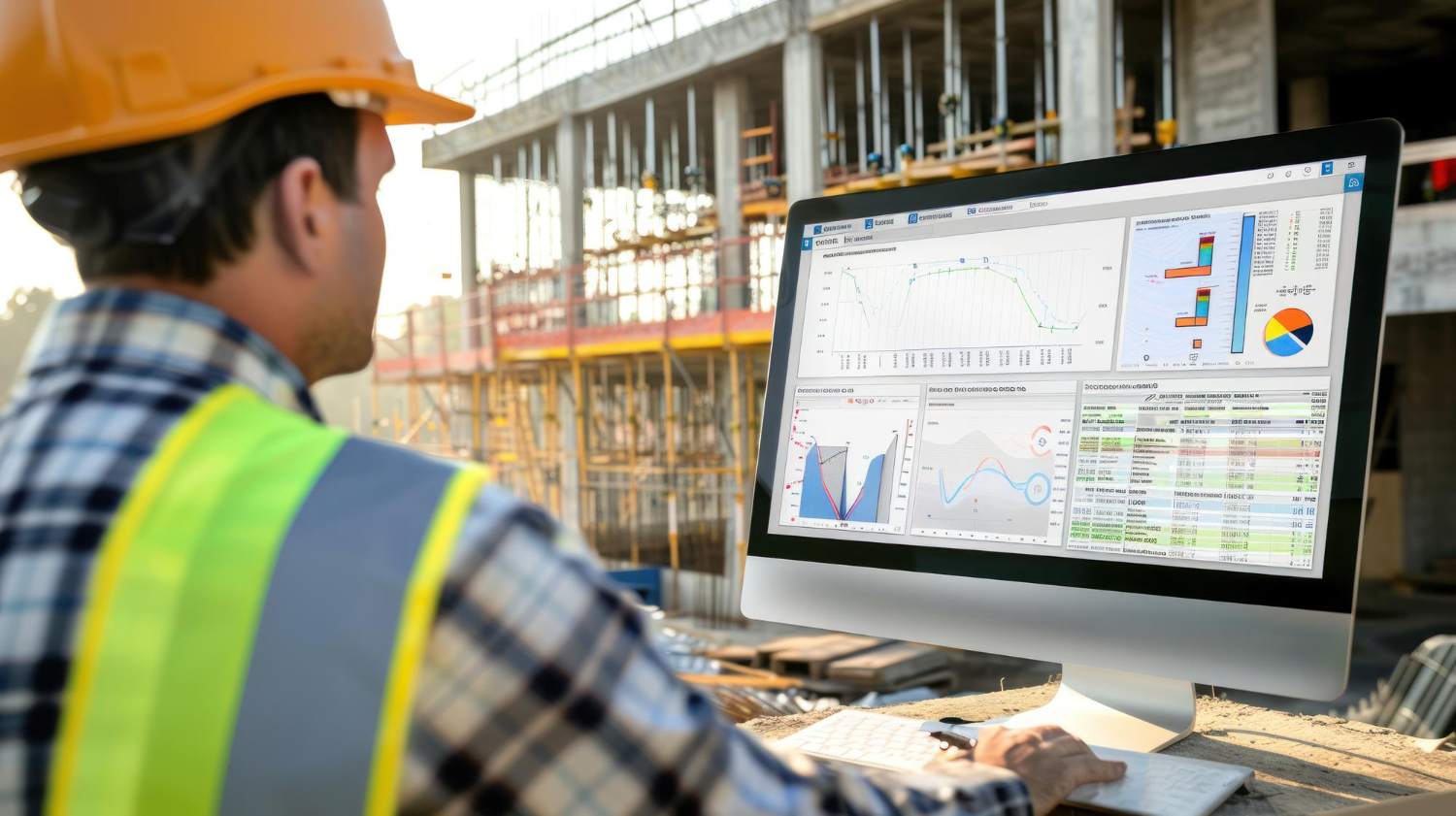
Construction projects depend on careful timing and coordination. Without a clear system, schedules slip, costs rise, and work slows down. Construction scheduling software gives teams a structured way to plan, track, and control every phase of a project from start to finish. It replaces outdated spreadsheets with real-time tools that keep tasks, crews, and resources aligned across each job site.
This technology helps project managers create accurate timelines, assign resources efficiently, and adjust plans the moment conditions change. By seeing progress unfold live, teams identify delays early and prevent unexpected downtime. It brings transparency to workflows and unites office and field staff under one clear schedule.
Understanding what construction scheduling software does and how it improves project control helps companies stay organized and profitable. The following sections explain how this technology simplifies planning, strengthens coordination, and keeps every project on track.
Construction scheduling software provides a structured way to organize project timelines, tasks, and resources. It allows teams to plan work sequences, allocate materials, and track deadlines with higher accuracy. The platform links planning and execution across office and field operations, cutting delays and reducing miscommunication.
This software acts as the central hub for all project timing activities. It helps plan work, sequence operations, assign crews, and adjust schedules as project conditions shift. The goal is to keep every part of the construction process aligned with defined milestones.
Modern scheduling software for construction combines traditional Critical Path Method (CPM) logic with real-time visibility. Teams can view dependencies, create look-ahead schedules, and simulate impacts of delays. It tracks progress against baseline goals and supports adjustments for weather, supply issues, or permit delays. Unlike paper charts or static spreadsheets, it provides live data that reflects current site activity. Each update from the field automatically synchronizes with the master schedule, keeping everyone synchronized.
Construction scheduling platforms focus on time and sequence, while project management tools address broader functions like budgeting, documentation, and contract administration. The scheduler sets the “when” of tasks, and the management software handles the “how” and “who.”
Scheduling software defines the timeline structure of a project. It maps the relationships between tasks and predicts how changes affect delivery dates. In contrast, project management systems may cover budgeting, cost tracking, and communication logs. Many contractors use both, connecting schedule data with information pulled from field reports or financial tools. This alignment allows managers to track both progress and costs in one ecosystem without losing control of day-by-day operations. The two systems complement each other but serve different purposes within the same workflow.
Most scheduling tools rely on standardized methods that allow consistent project tracking. The Critical Path Method (CPM) remains the most used approach. It identifies the longest path through a project’s task network and shows where delays will affect completion.
Other methods include Gantt charts that visually represent overlapping tasks and milestones, and look-ahead schedules that detail short-term field activities. Some teams apply Line of Balance charts, useful for repetitive jobs such as floor-by-floor building. Each method fits a different project type, and many platforms allow switching among them as projects evolve. Modern digital tools combine visual layouts with automated recalculations, helping teams plan and revise schedules without manual recalculation.
Effective construction scheduling platforms include tools built specifically for real project conditions. Core features often include:
Real-time collaboration functions allow multiple users to update tasks from any device. Teams can comment, attach documents, and compare different versions of a plan. Built-in quality checks highlight potential risks before they disrupt progress. Integration with calendars and other construction systems ties schedule updates to communication and cost tracking. These features create a smoother workflow from high-level planning to daily execution, improving control over both time and labor productivity.
Construction scheduling software gives construction professionals the ability to see how time, labor, and resources affect the outcome of a project. It connects office and field operations through real-time data, allowing faster decisions, fewer delays, and greater control over every stage of the build.
Centralized real-time project tracking allows project managers to keep all schedules, progress updates, and task details in one digital platform. Each change appears instantly across dashboards, helping teams access the same data at the same time. This improves clarity and reduces guesswork.
Cloud-based scheduling tools make project tracking more accurate by linking project milestones, timelines, and cost details in one interface. Whether a delay occurs in a delivery or weather affects a task, the updated timeline appears automatically.
Project scheduling software provides clear visibility into how each crew or subcontractor contributes to the overall plan. With accurate tracking, contractors identify potential delays early and adjust task sequencing before it impacts other areas of the project.
Efficient resource and workforce management directly affects project control. Construction scheduling software simplifies allocation of crews, equipment, and materials, helping project managers distribute work evenly and avoid conflicts in scheduling.
The software supports resource leveling, which helps prevent overuse or underuse of workers and machinery. Automated tools calculate availability and skill sets, allowing managers to assign jobs based on specific team capacity.
By connecting resource allocation with job tracking and budgeting, project planners gain a real view of how labor hours influence project costs. This approach minimizes idle time, prevents double-booking, and keeps labor productivity aligned with financial goals.
Accurate progress monitoring improves accountability and timing across construction phases. Modern scheduling platforms feature drag-and-drop tools and real-time updates that adjust associated tasks whenever one activity changes.
Automated notifications inform team members of new deadlines or revised schedules. This avoids missed messages and allows faster responses to change orders or inspection updates. Field staff can mark completed work or add photos directly through mobile updates, providing live insights to the office team.
Project managers track milestones more easily, compare planned progress with actual performance, and take immediate action if trends point toward delay. This feedback loop keeps schedule management consistent and predictable from start to finish.
Strong collaboration improves project control across offices, worksites, and subcontractor teams. Construction scheduling software functions as a shared platform where everyone views the same schedule, updates, and document revisions.
Real-time collaboration tools reduce confusion caused by scattered messages or outdated spreadsheets. Field coordination software allows crews to communicate changes instantly, helping managers validate adjustments without waiting for manual reports.
Version control and document management protect data accuracy by recording every change to schedules, budgets, or reports. This transparency supports accountability and consistent communication across departments. As a result, contractors keep every participant aligned from planning through project closeout.
Construction scheduling software gives teams control over time, labor, and resources. It replaces manual charts and scattered updates with a single, accurate view of project status. As a result, managers can track timelines, assign crews, and adjust plans without delays or guesswork.
The software promotes clear coordination between office and field staff. Everyone works from the same schedule, which reduces confusion and helps avoid duplicated tasks. This shared visibility leads to smoother progress and fewer interruptions.
By combining automation, real-time updates, and simple data views, it supports consistent project delivery. Teams gain better insight into progress, budgets, and resource use. Therefore, construction scheduling software stands as an effective tool to keep projects organized, efficient, and on track.